Make your own coloring book, then order it in print.
Build a themed coloring book from your own ideas or photos. Create and review your pages, put them in a folder, then choose a cover, binding and shipping option for a printed copy.
Choose Artist or Business if you plan to sell copies.
Create an account or sign in, then choose or create a folder. Add your pages before ordering. Printing is a separate purchase.
- Create pages
- Arrange a folder
- Order a printed copy
Plan a coloring book people will want to use
A good book feels connected from the first page to the last. Decide who will color it, what holds the scenes together, and how much detail belongs on each page.
Choose one theme and a consistent level of detail
For a ten-scene character book, start with a simple promise: one character exploring everyday adventures. Keep the line weight, background detail and amount of open space similar throughout. A book for younger colorists needs different shapes and spacing from a detailed adult collection.
A small page plan helps: open in the garden, move to a bicycle ride, add a quiet reading scene, then build toward an ending. Write one scene per page. Vary the action while keeping the subject and style connected.
A prompt pattern to adapt
“[Your character reference] watering a small vegetable garden. Simple black-and-white coloring page, clear closed outlines, large spaces to color, a lightly detailed background, one scene.”
Change the activity for each page, reuse your style instructions, and review each result for consistency.
Make a few sample pages before building the set
Check the faces, hands, proportions and closed shapes. Look for stray lines, cropped subjects, repeated objects and text mistakes. Print a sample on your own printer if you can. Rework pages that feel too crowded or too different before creating the rest.
Use consistent characters to guide a recurring subject, or start with images you have the right to use in the photo to coloring page converter.
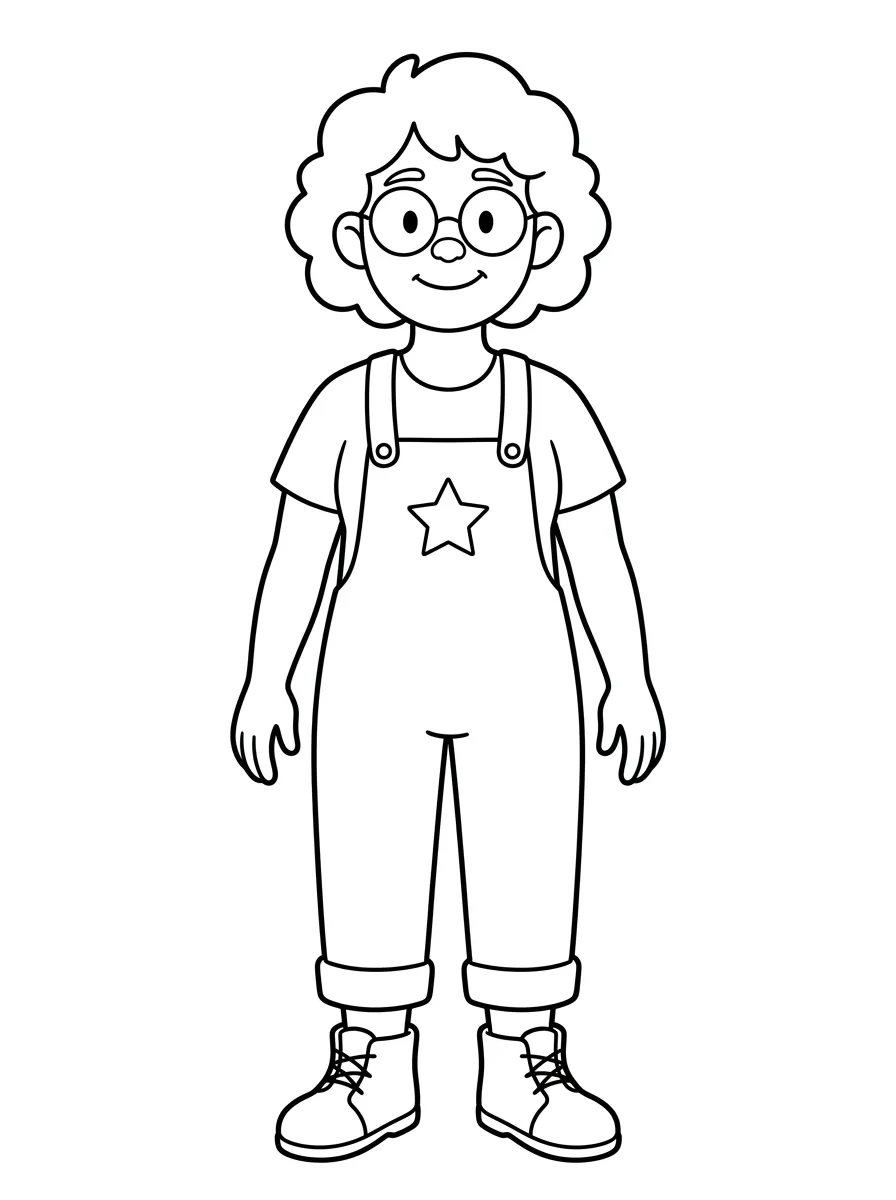
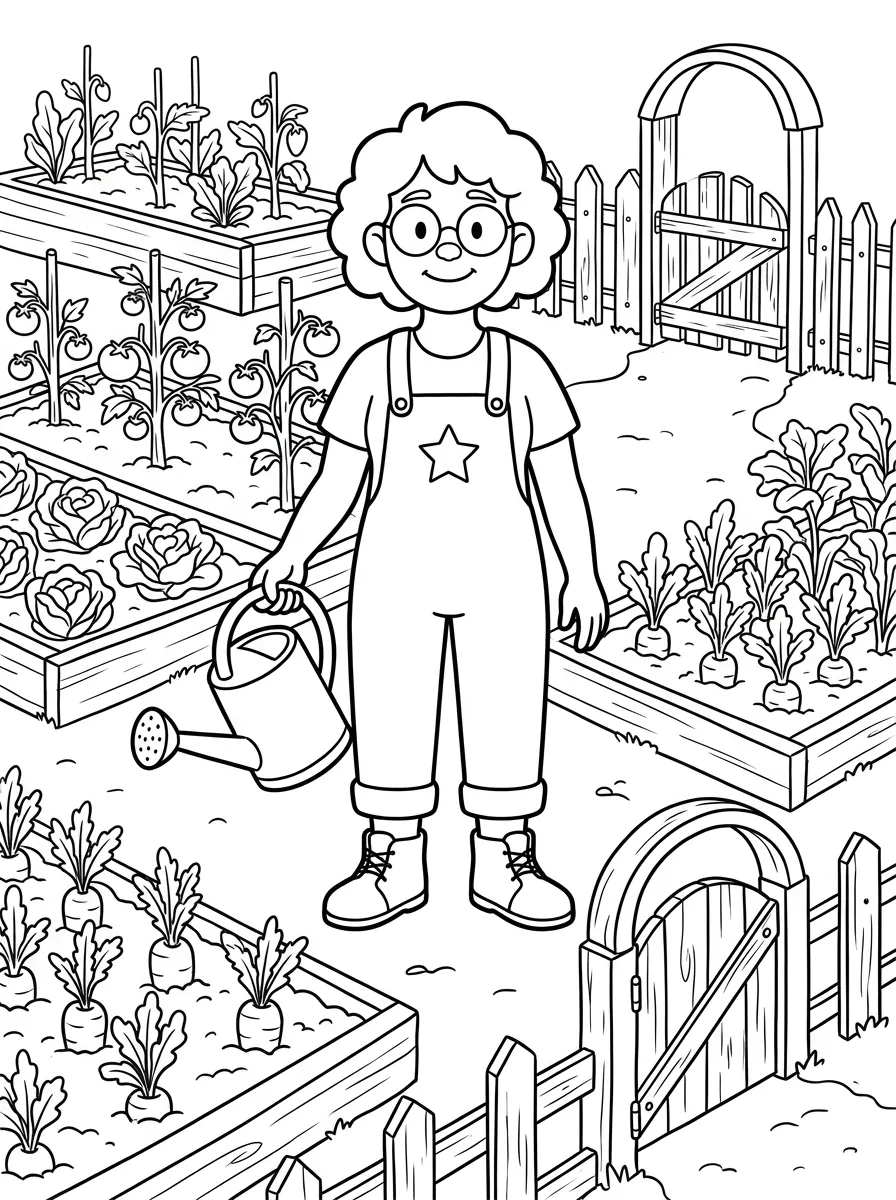
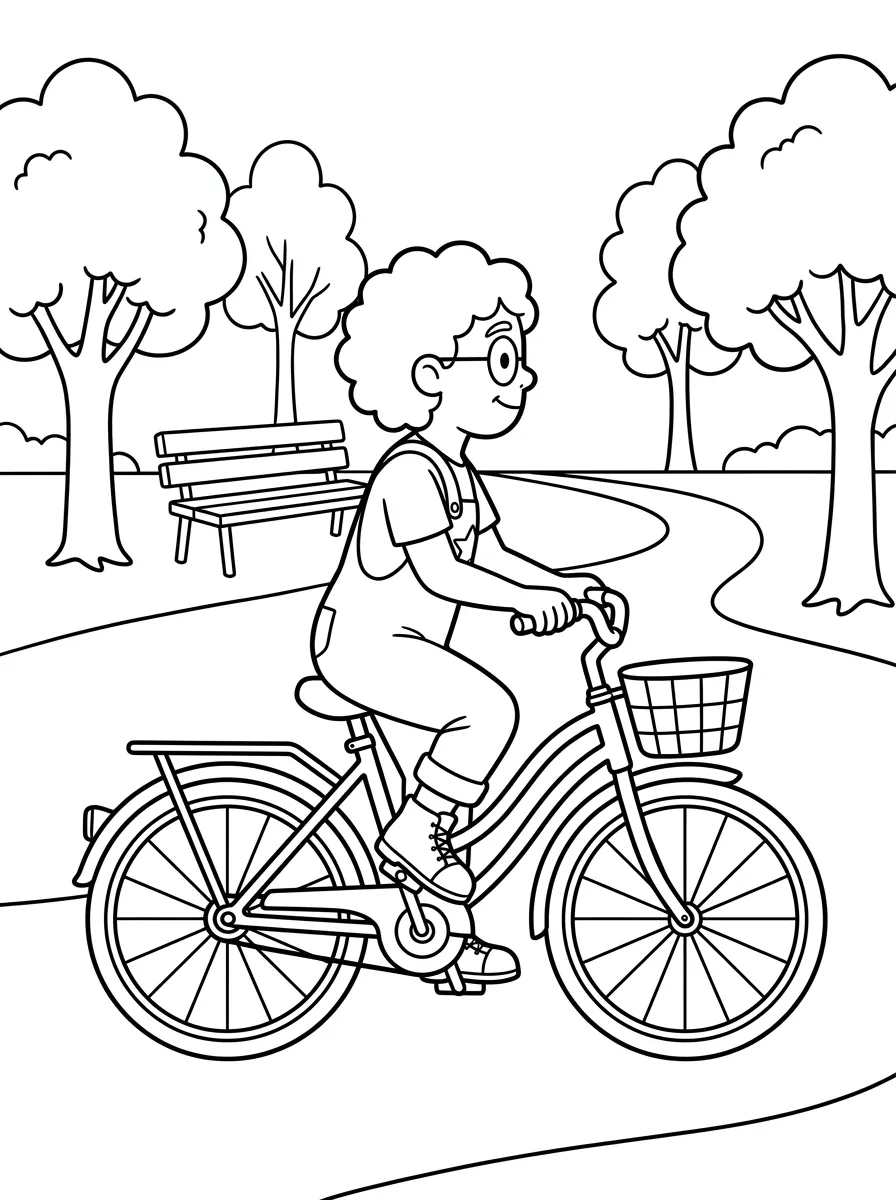
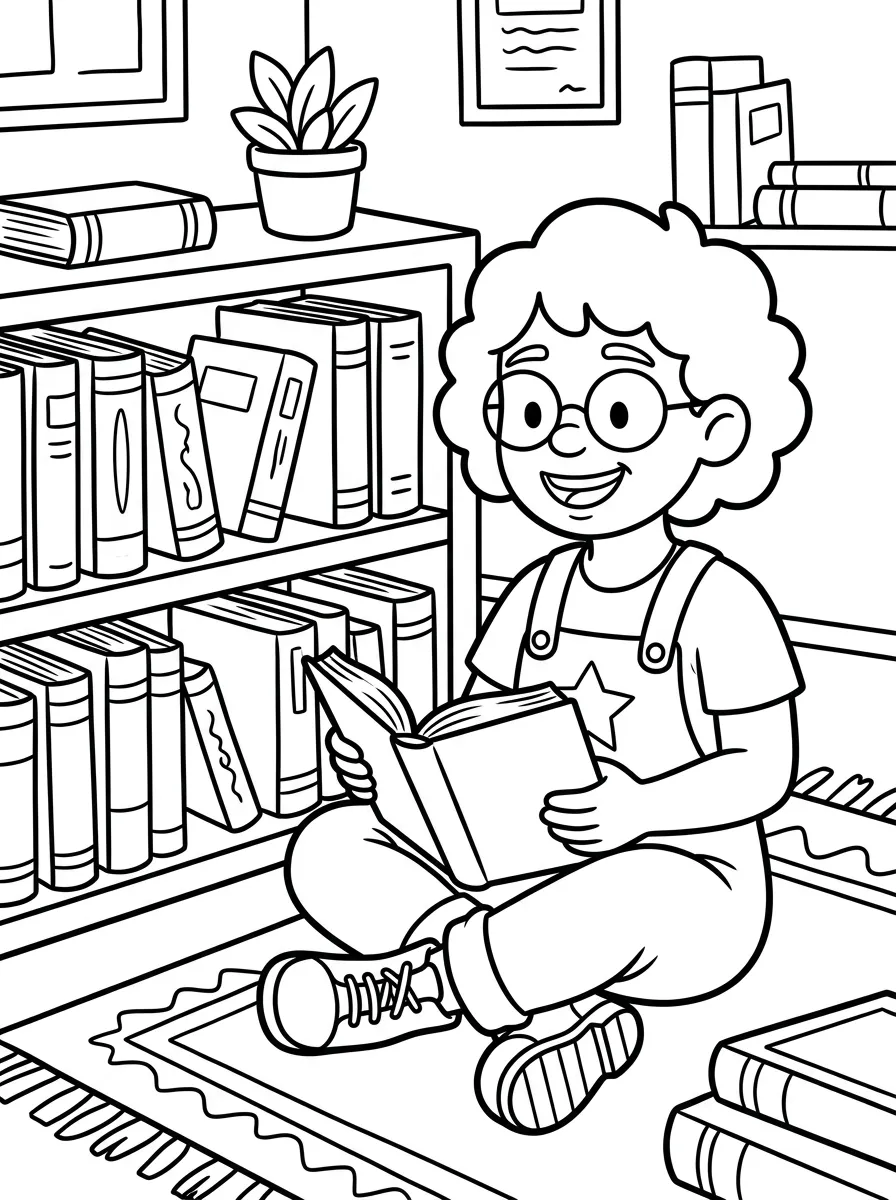
Digital sample: Rowan, an original AI-generated character, appears in ten first-pass coloring scenes. Above: the character reference and three scenes from the set. Explore the character example.
Create and organize your coloring pages
Start from prompts or your own photos
Describe a scene, convert a photo, or use your saved character reference. Create individual pages while you test the idea. Artist and Business also include bulk generation of up to 50 pages per batch when you are ready for a larger set. A batch size is not the printed-book page limit.
Collect the finished pages in a folder
Sign in and choose Create new folder, or open a folder you already own. Save new pages to it or select existing pages and add them. Keep only the pages you want in this book, remove duplicates and arrange the sequence. An empty folder is a starting place; add your artwork before ordering.
Review the sequence as a book
Read through the folder from start to finish. Does the opening introduce the theme? Are two scenes almost identical? Does the final page feel like an ending? Check line consistency and content near the edges. The order uses the pages in your folder, so finish your selection and arrangement before choosing Order book.
You’ll need an account and a folder containing your pages. Review your print order total before paying separately.
Choose the format for your printed book
Build around the format you can actually order. ColorBliss assembles the interior and cover from your folder and the choices you make in the order flow.
Size, paper and page layout
- Page size
- US Letter, 8.5 × 11 inches
- Interior
- Black and white
- Paper
- 60 lb white uncoated
- Cover
- Full color
- Page layout
- Title page plus coloring pages; standard blank backs or facing puzzle guides
Ten coloring artworks produce 22 interior PDF pages: (10 + 1) × 2. The standard layout adds blank backs. With facing guides, a guide sits to the left of each puzzle, and the next guide can print on the back of the previous coloring page. Review the preview for your chosen layout. Markers can still bleed through; test your materials on a sample copy.
Stapled, paperback or coil
Choose a binding for the way the book will be used. The options shown for your folder depend on its page count.
| Binding | Coloring pages | A reason to choose it |
|---|---|---|
| Stapled | 4 to 23 | A shorter book |
| Paperback | 15 to 399 | A longer collection with a glued spine |
| Coil | Check your order options | Opens flat for coloring |
Design the cover and title page
Choose a ColorBliss cover template, add a title and optional subtitle, and adjust fonts, colors or gradients. Add back-cover text and an optional dedication or title-page note. Review the in-app preview for spelling, placement and contrast.
See the cost, then order a printed copy
Creation costs and printing costs are separate
Making pages uses your account’s credits and plan features. The printed book is a separate purchase. Your print price depends on the artwork count, binding and number of copies; shipping and tax also affect the final total.
Check current creation plans and estimate your print cost before committing. The estimator gives an initial print subtotal. Enter your delivery details in the order flow to review the final printing, shipping and tax charges. A subscription does not include physical books.
Enter an address and review delivery choices
Customer checkout supports the United States and Canada. Available shipping methods and delivery estimates depend on your address and order. Allow time for proof review, production and delivery when planning your release.
Pay, review your proof and approve printing
Review your in-app preview and order total before payment. After payment, ColorBliss contacts you for proof review before submitting the book for printing. Payment, proof approval, production and delivery are separate steps.
You can order one copy to inspect before deciding whether to order more. Check the cover, margins and coloring experience in that copy before making a larger purchase.
See what ColorBliss actually produces
A creator sample you can inspect
Follow the Rowan project from the character reference to ten generated scenes. Open the contact sheet, PDF or individual pages to compare the poses and detail, then think about which pages you would keep and how you would sequence them.
A real printed example
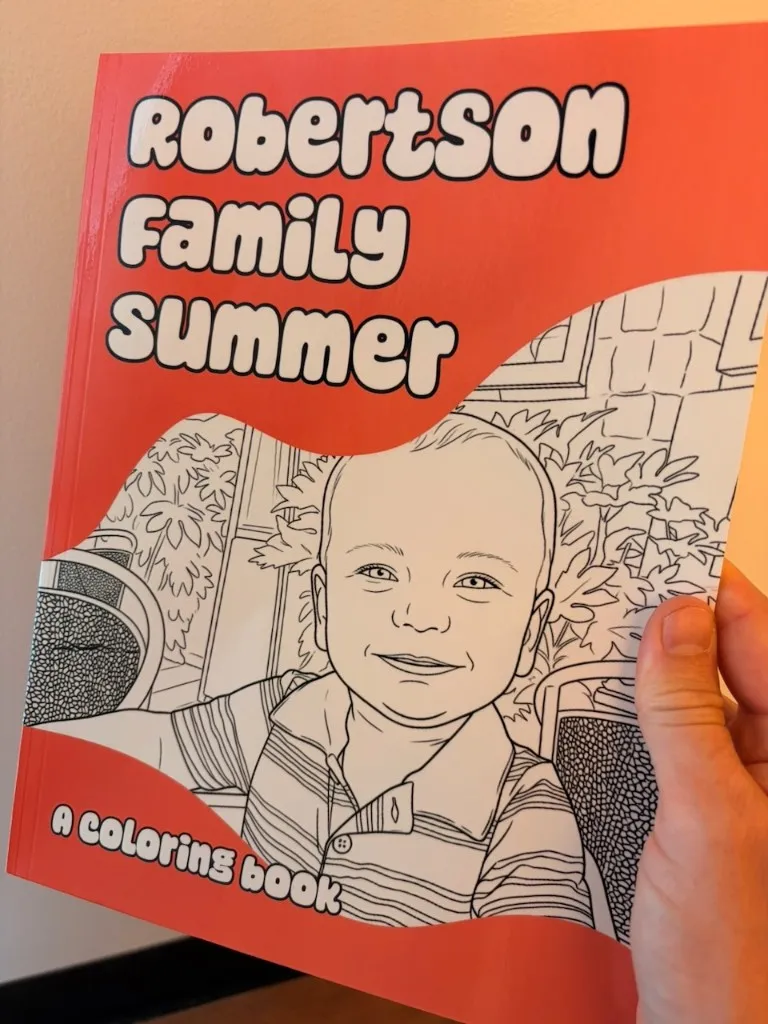
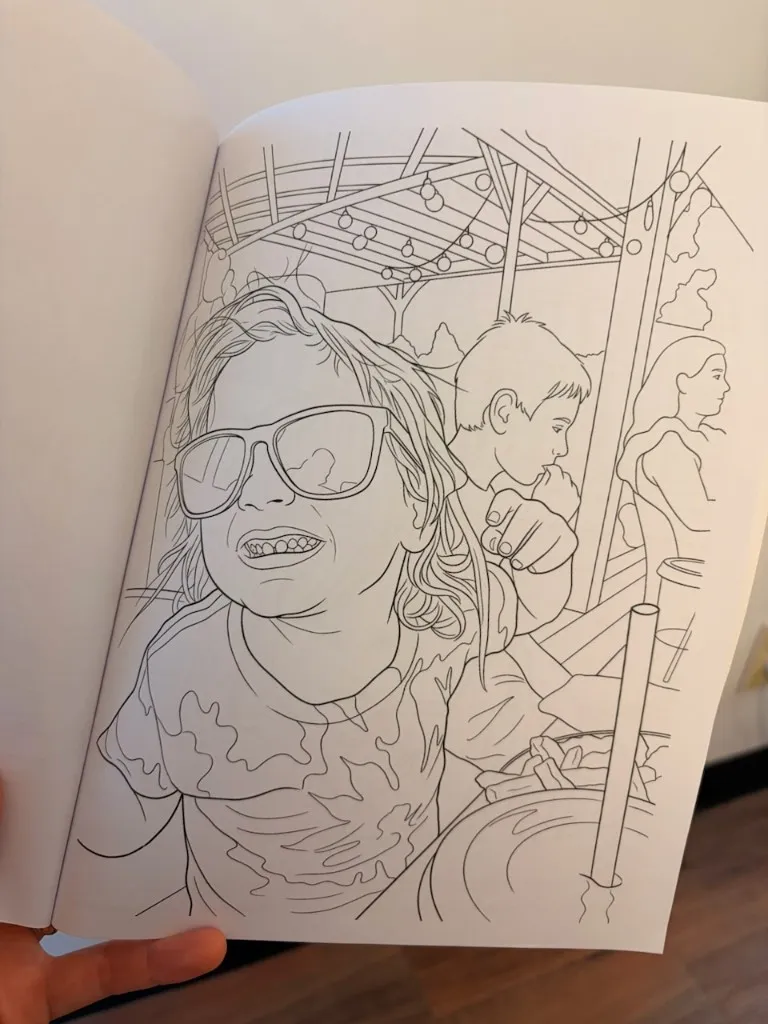
ColorBliss founder Ben Robertson converted his family’s summer photos into coloring pages and printed Robertson Family Summer through ColorBliss. The cover photograph at the top and this interior photograph show that physical book.
Read how Ben made the printed bookSelling your coloring book: rights and responsibilities
Use a plan that includes commercial use
Artist and Business include commercial use for eligible ColorBliss-generated content. Starter and Hobby are personal-use plans. Buying a printed copy does not add a resale license, and you do not need a commercial plan just to order a personal copy.
The eligible-content license is perpetual, worldwide and non-exclusive under the current terms. It does not transfer copyright or guarantee that AI-generated output is copyrightable. You also need appropriate rights to any photos, characters or other material you upload. Check plan details before making a book to sell.
Review your content and your sales channel’s requirements
Inspect every page and follow your marketplace’s content rules, including any required AI-content disclosures. You handle publication, ISBNs and distribution through your chosen sales channel. Check its export requirements before preparing files for KDP or another marketplace; ColorBliss’s print ordering is a separate service.
Questions before you make and order a coloring book
Can I make a coloring book and order just one copy?
Yes. Create and review your pages, collect them in a folder, then choose Order book. You can order one copy to review before deciding whether to order more. Choose your print options and review the order total before paying.
How many coloring pages do I need?
Stapled books support 4 to 23 coloring pages; paperback supports 15 to 399. The printed interior also includes a title page and backs, so its page count is larger than your artwork count. Ten coloring pages produce 22 interior pages. The standard layout has blank backs; facing puzzle guides can use those backs instead. Available binding choices depend on the book; check the options shown for your folder.
Can I use photos, AI prompts or a recurring character?
Yes. Create pages from text ideas or your own photos, and use the character tools for a recurring character. Review the results and sequence before ordering. Credits and tool access vary by plan; bulk generation is available on Artist and Business. See current plans and credits.
What does it cost to create and print a book?
Creating pages uses your account’s credits and plan features. Printing is a separate paid order. Print cost depends on page count, binding and copies, with shipping and tax reflected in your order total. Use the print estimator for an initial estimate and review the final quote after entering your delivery details.
Can I sell the books I make?
Artist and Business include a commercial-use license for eligible ColorBliss-generated content. Starter and Hobby are for personal use. Buying a printed book does not add commercial rights. Review our terms and your sales channel’s requirements before selling. A license does not guarantee copyright ownership or marketplace acceptance.
What format and bindings can I order?
Books use US Letter pages (8.5 × 11 inches), a black-and-white interior on 60 lb white uncoated paper and a full-color cover. The standard layout has blank backs; facing puzzle guides can use those backs instead. Bindings include stapled, paperback and coil, subject to the book’s available options. Test your preferred coloring materials on a sample copy.
Where do you ship, and when will my book arrive?
Customer checkout supports the United States and Canada. Enter your address to see available shipping choices and delivery estimates. Allow time for proof review and printing as well as delivery when planning your project.
Will I see the book before it is printed?
You can review the in-app book preview while preparing the order. After payment, ColorBliss contacts you about digital proof review before submitting the book for printing. You can also order a single physical copy to inspect before a larger order.
Give your coloring book a place to start
Choose a theme, make a few pages, and collect the ones you want to keep. Your folder is where those separate ideas become a book you can review and order.
Start your coloring bookCreate an account or sign in, then choose or create a folder. Add your pages before ordering. Printing is a separate purchase.