Consistent Characters

Consistent characters is here, and it solves a problem we’ve heard about constantly: you want coloring pages featuring real people, not random AI-generated faces that change every time.
Upload a photo of your kid, your pet, or anyone else. ColorBliss turns it into a character reference sheet. Then use that character in any prompt and they’ll look the same across every page you create.
Why this matters
Now you can create coloring books, gifts, and series where the same character appears on every page. Your kid riding a dinosaur on page one looks like the same kid exploring a castle on page ten.
Parents have been asking for this. So have creators making personalized coloring books and teachers building materials around classroom mascots. It’s all possible now.
How it works
- Go to Characters in your dashboard sidebar
- Upload a photo of the person you want to turn into a character (clear, well-lit works best)
- Name them and pick a style – simple for bold outlines, detailed for finer lines
- Hit Create and wait about a minute for processing
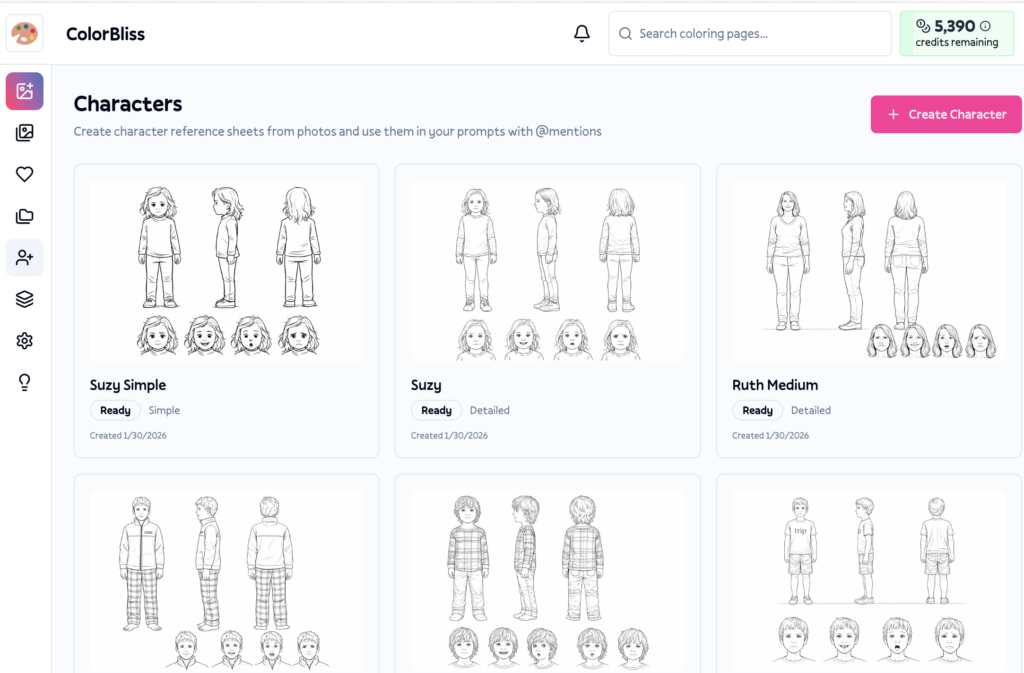
Once your character is ready, use them in any prompt by typing @ and selecting their name. That’s it.
What you can do with it
Create personalized gifts
Make a custom coloring book starring your nephew for his birthday. Every page features him – riding dinosaurs, exploring space, playing soccer. Print it, bind it, done.
Build a series with the same cast
Creating a coloring book for sale? Your main character stays consistent across 50 pages. No more awkward style shifts or characters that don’t match.
Use multiple characters together
Include several people in one scene:
@Emma and @Max building a sandcastle at the beach
Each character maintains their own look. ColorBliss keeps them distinct automatically.
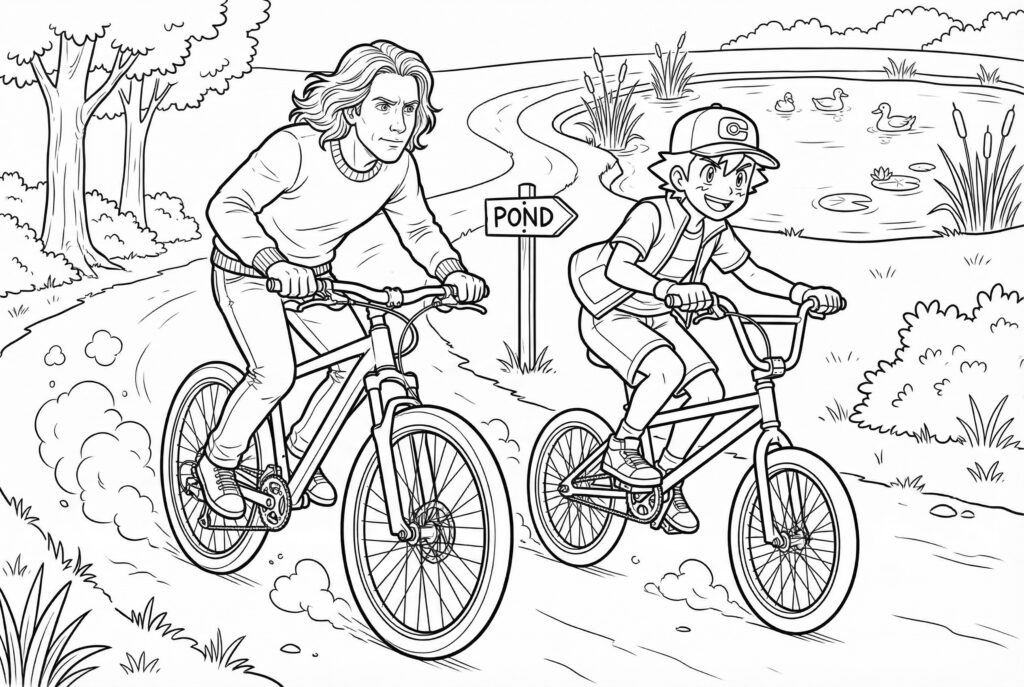
Include real people and fictional people! Here’s me and Ash Ketchum racing on our bikes to the pond 🙂
Match your existing art style
Choose from styles like cartoon, manga, detailed, or minimalist. Your character adapts to the style while keeping their recognizable features.
Perfect for
- Parents making coloring pages starring their kids
- Grandparents creating personalized gifts
- Teachers with classroom mascots or student-specific materials
- Coloring book creators who need consistent characters across dozens of pages
- Small businesses making branded coloring materials with mascots
Availability
Consistent characters is available on:
- Hobby
- Artist
- Business
- Ultra
If you’re on Starter or a legacy plan, you’ll need to upgrade to access characters. Head to your account settings to see upgrade options.
Getting started
Go to Dashboard > Characters and create your first character. Start with a clear photo – good lighting and a visible face give the best results.
Once it’s processed, head to the image generator, type @, and pick your character. Add a scene description and generate.
Tips for best results
Use clear, front-facing photos – The AI needs to see facial features clearly. Avoid heavy shadows, sunglasses, or photos where the face is partially hidden.
Name characters distinctively – “Emma” is easier to find than “Character 1” when you’re typing @mentions.
Focus your prompt on the scene – You don’t need to describe what the character looks like. The reference handles that. Just describe what they’re doing: “riding a bike through a forest” rather than “a girl with brown hair riding a bike.”
What it doesn’t do
Characters don’t work with photo-to-coloring – This is for text-to-image only. To convert a photo directly, use the photo converter.
Characters can’t be edited after creation – If you need changes, create a new character with a different photo.
Questions?
Check the consistent characters help guide or email [email protected] if something’s not working right.
Go make some coloring pages that actually look like your people.
–Ben